Assigning extenders' network ports to specific segments
In your Wi-Fi System, you can configure any of the Extenders' Ethernet ports to connect to the desired local network segment.
Log in to the Controller’s web interface , go to the Network Controller page (in earlier OS versions, this page was called Mesh Wi-Fi System) and select an Extender. An Edit button will appear; click it.
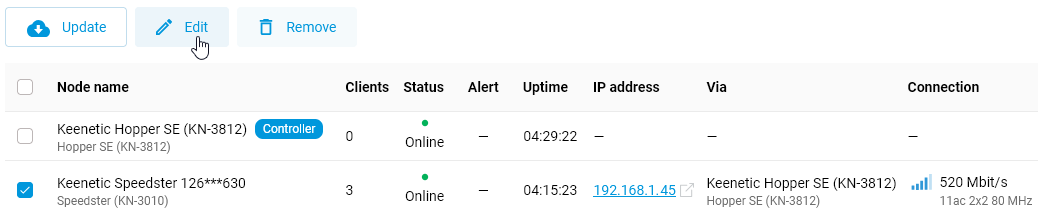
Local Network → Controller (Wi-Fi System)
In the Extender Settings window, go to the Port Assignments tab. Here, you can assign the desired segment to a network port. By default, all of the Extender’s ports connect your client devices to the primary network segment.
For example:
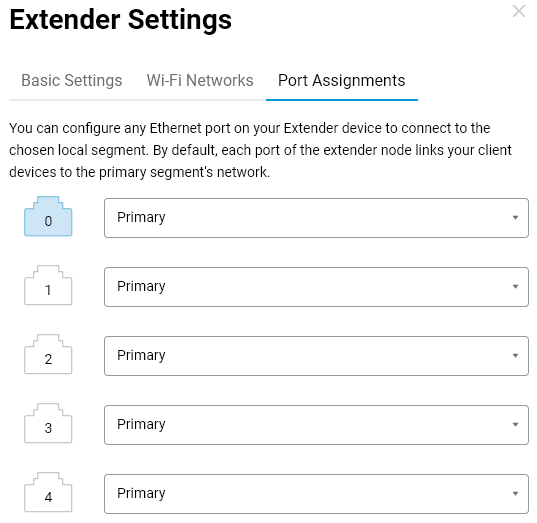
For a specific network port, select the required local network segment and save the settings.
Segments are created on the Main Router (Network Controller). Further information on adding a new segment can be found in the article Segments. The list of available segments depends on which segments have been previously created on the Сontroller.
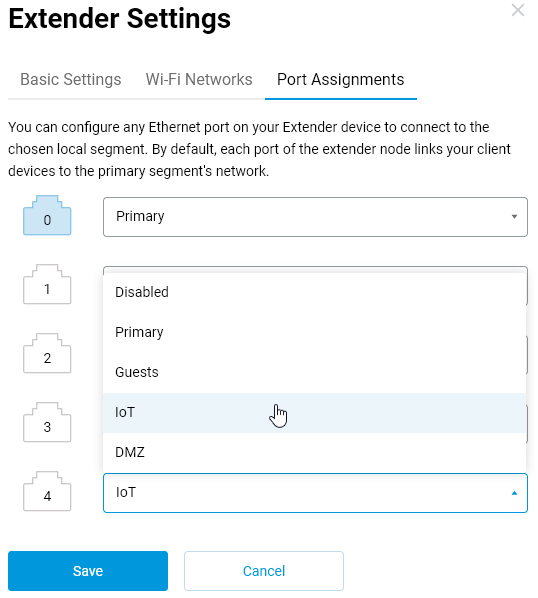
Once this configuration is complete, the specified local network segment will be active on the Extender’s Ethernet port.