Creating a DNS profile without filtering
From version KeeneticOS 3.8, the setting and operation of Internet safety services have been changed. Detailed information can be found in the Internet safety (Content filtering) guide.
Now on the Internet Safety page under Assignment of Content Filtering Profiles to Registered Clients each registered device can be given a default profile from the Public DNS presets list or a default profile that is assigned to a network segment. Sometimes it is necessary to exclude certain devices on your home network from using public service DNS servers and set them to use a DNS provider's or manually assigned DNS servers, i.e. to create a profile without DNS query filtering.
To create a DNS profile without filtering, go to the Internet Safety page, the DNS Configuration tab. Under DNS Resolution Profiles click + Add profile, specify the name of the profile (in our example, it is Unfiltered) and click Save.
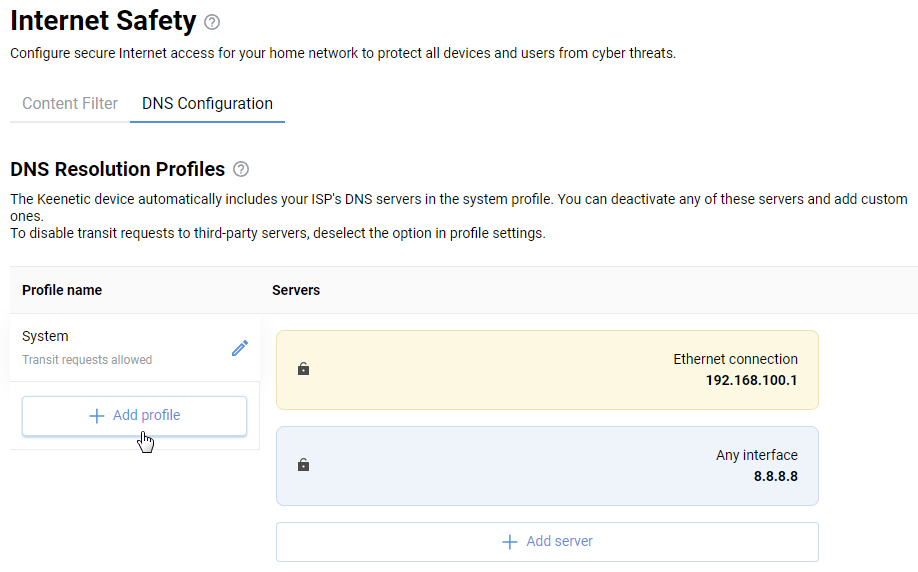
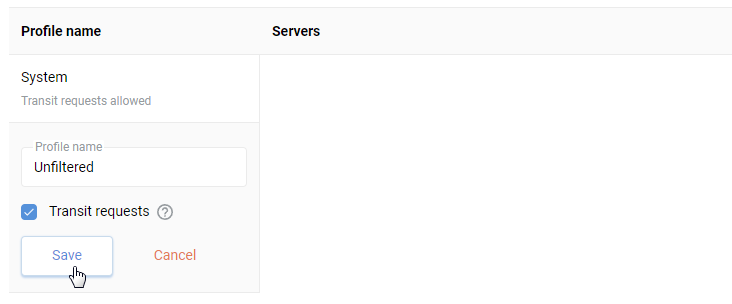
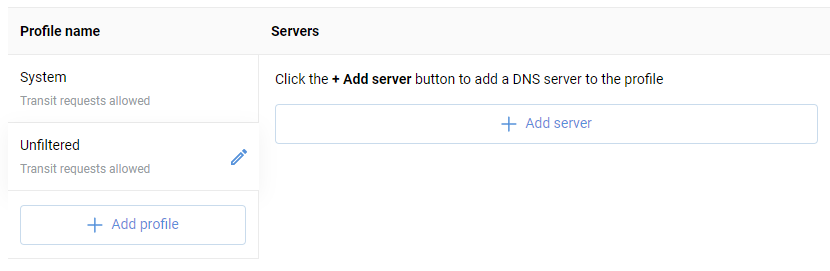
You can add specific DNS server addresses if required.
Now go to the Content Filter tab, and under Assignment of Content Filtering Profiles to Registered Clients for the desired device, select the created non-filtering profile in the Profile field.
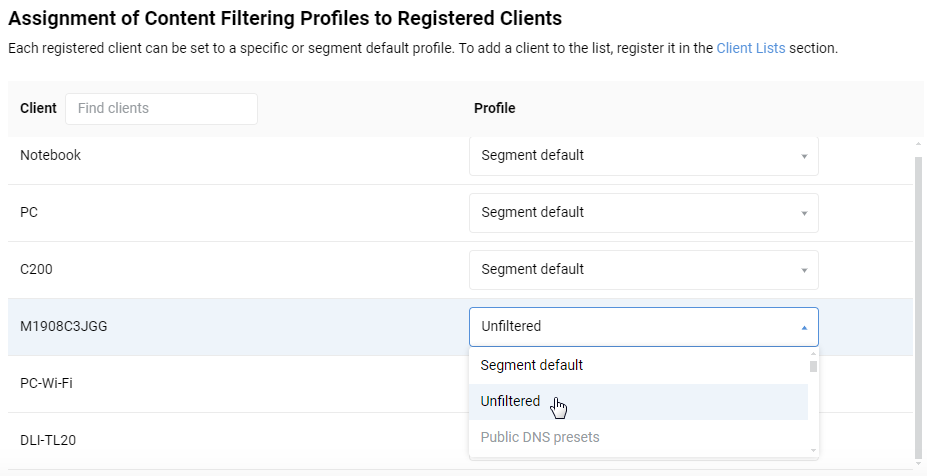
In this case, DNS requests from a certain device will not be intercepted by the Internet safety service but will be used by the DNS servers of the ISP or manually specified.
You can check DNS resolving and find out which servers handle DNS queries via the online test on the websites http://www.whatsmydnsserver.com, https://dnscheck.tools or https://www.dnsleaktest.com